

Fake LinkedIn Replies Used in New Phishing Scam | Sync Up
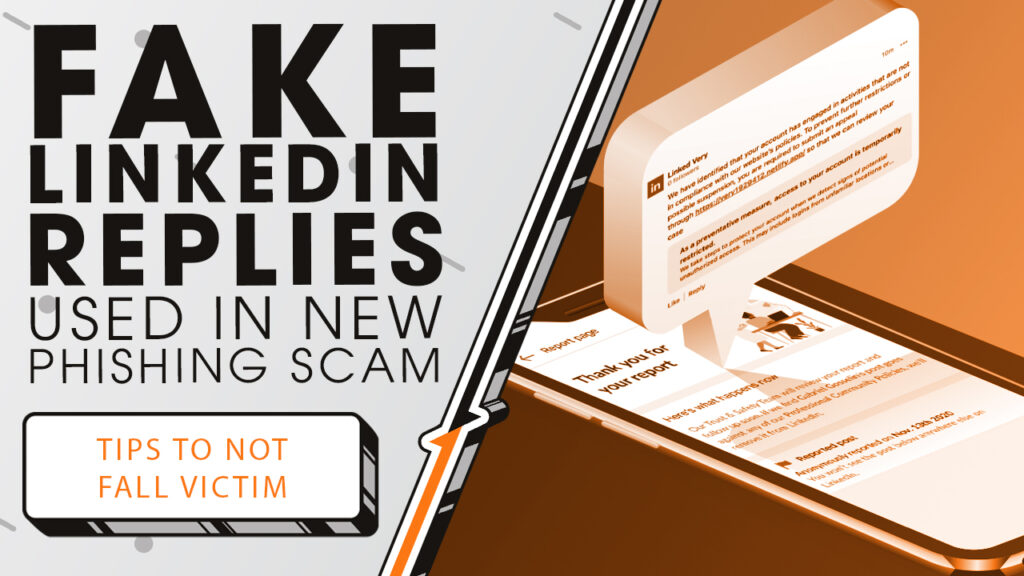
Scammers are actively flooding LinkedIn posts with fake comments warning of policy violations. We’ll show you what to look for and steps to take if you receive a notification as we sit down and sync up with Rocket IT’s weekly technology update.
In this episode, you’ll hear more about:
- How scammers are targeting LinkedIn comments
- Why these replies look legitimate
- What happens if you click the link
- How attackers are spreading the messages at scale
- What LinkedIn has confirmed so far
- Simple steps to protect your account
Video Transcript
Over the past few days, LinkedIn users have started noticing comments appearing directly under their posts, claiming their accounts have been flagged for various policy violations. In the replies, users are then asked to click an included link to resolve the issue.
Behind the scenes, these comments are coming from bot accounts, automating their messages to target as many real users as possible in hopes that one message lands at the right moment.
The links themselves lead to websites that closely mimic LinkedIn’s look and language. Once there, users are prompted to verify their identity or sign in again to restore access. Entering credentials at that point hands attackers exactly what they’re after.
From there, account takeovers happen fast. Access can be locked, connections can be targeted with additional scams, and reused passwords can open doors well beyond LinkedIn.
What makes this campaign especially difficult to spot is how much effort is going into making it feel legitimate. Some replies use LinkedIn branding and familiar security language, and in certain cases, the links are shortened using LinkedIn’s own URL shortening tool. That makes the destination harder to judge at a glance, especially on mobile where link previews aren’t always clear.
Many of these replies also come from fake company pages rather than individual profiles. These pages use variations of LinkedIn’s name and logo, which adds another layer of credibility unless you look closely.
This activity was first reported by cybersecurity journalists who identified multiple phishing domains tied to these replies. LinkedIn has since confirmed they’re aware of the issue and are actively working to remove the accounts involved. They’ve also been clear that policy violations are never communicated through public comments, which is also good to keep in mind for other social media platforms as well.
So how do you protect yourself? The first step is to never click links in comments claiming to be from LinkedIn, especially ones warning about account restrictions. If there’s a legitimate issue, it will appear directly in your account or through official notifications.
Reporting suspicious comments and company pages helps limit how far these scams spread. And making sure your account uses a strong, unique password with multi-factor authentication adds an important layer of protection if credentials are ever exposed.
For organizations, this is also a reminder that social platforms are now a common attack surface. This is where an IT partner can help, not just by responding after an incident, but by preparing teams ahead of time through training, guidance, and clearer expectations around what real security alerts look like. For organizations looking to launch security training for their teams, contact Rocket IT using the link in this video’s description. And to stay up to date on trending technology news, hit that subscribe button and the bell to catch us on next week’s episode of Sync Up with Rocket IT.
Related Posts



Subscribe to Rocket IT's Newsletter
Stay up to date on trending technology news and important updates.

Find out if Rocket IT is the right partner for your team
Claim a free consultation with a technology expert.